An operating system · 2026.09
The desktop,
rebuilt.
Built on Linux. Fast, private, encrypted out of the box, with its own apps and a desktop that behaves the way you expect.
- Base
- Arch · Plasma 6
- Disk
- Encrypted
- Install
- ~10 min
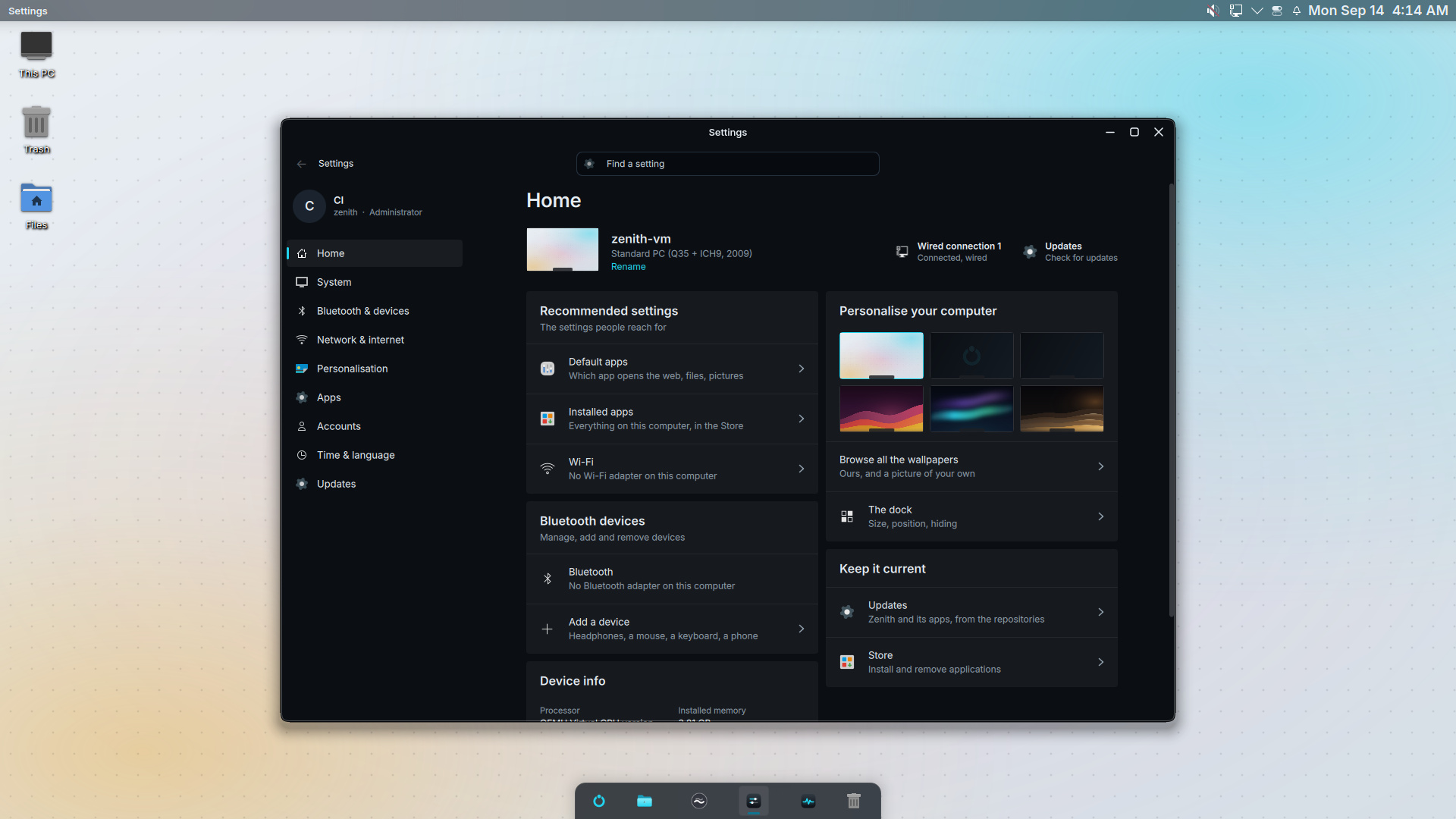
Everything where you'd look for it.
A strip along the top. A dock along the bottom. Your files on the desktop.
The strip
The app in front and its menus on the left; the tray, Control Center, notifications and the clock on the right. 28 px, out of the way.
The desktop
This PC, Files and the Trash down the left edge. Drop anything else there and it lines up under them.
Windows
One accent, flat glass, rounded corners, a shadow that reads as depth. Every Zenith app shares the same palette and type.
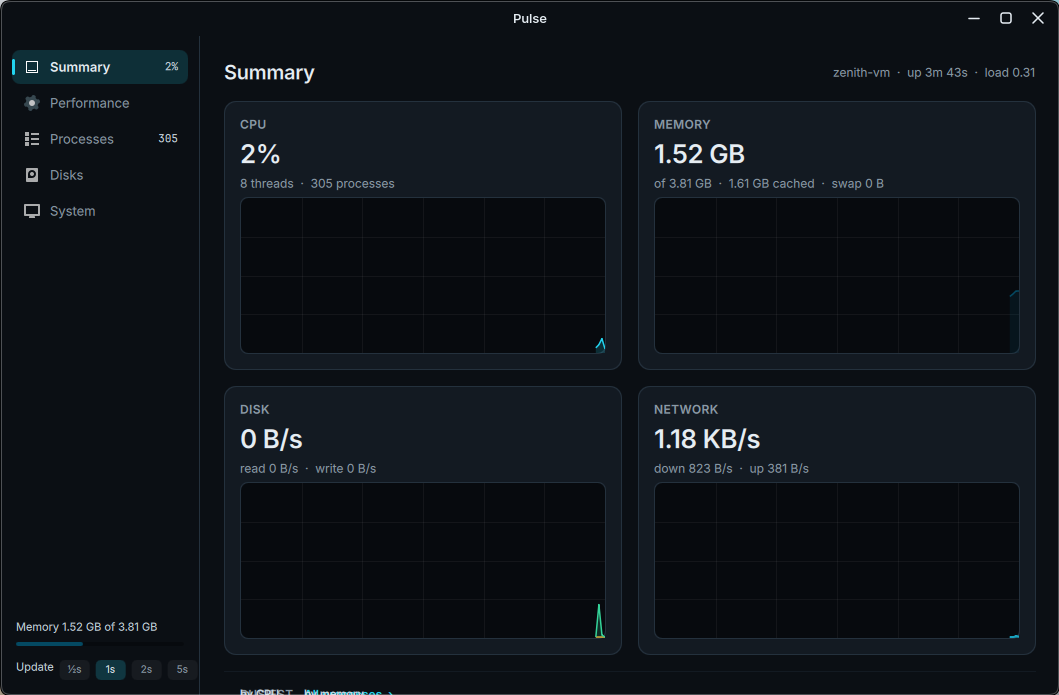
Zenith's own apps.
Not a theme over someone else's. Each one drawn for this desktop, in the same palette and type.
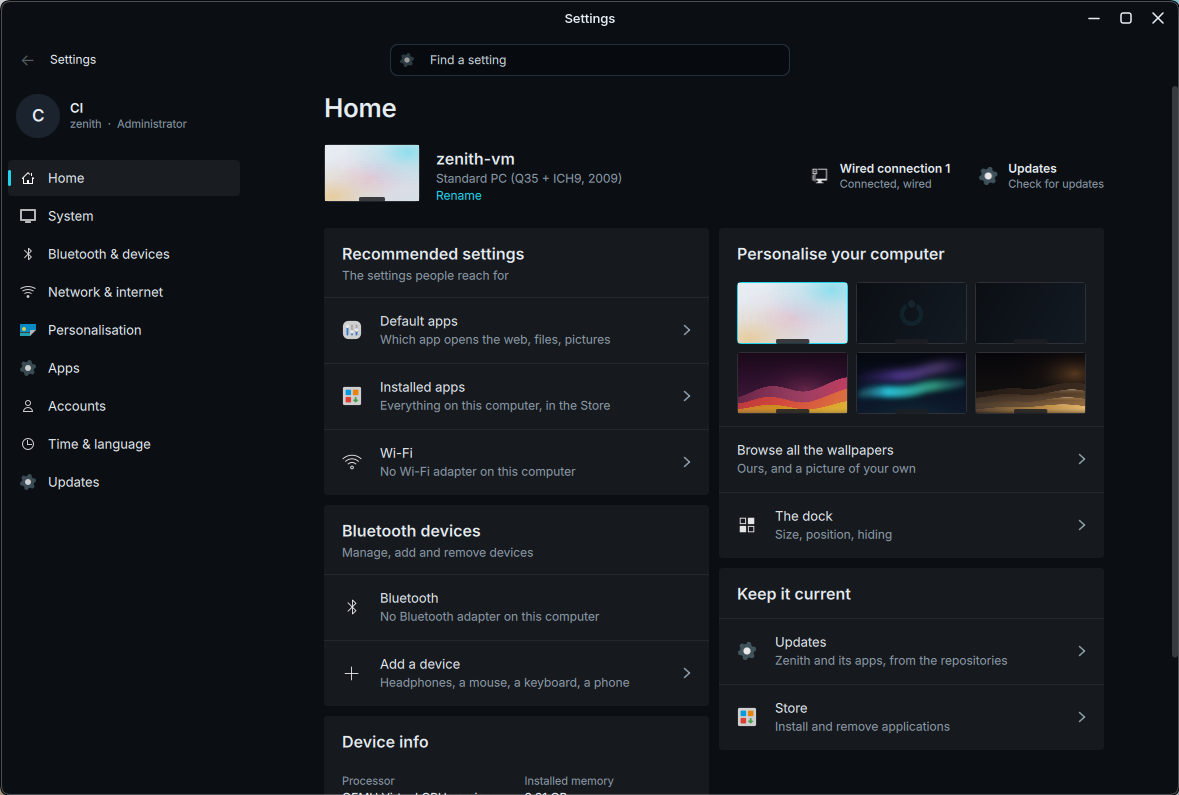
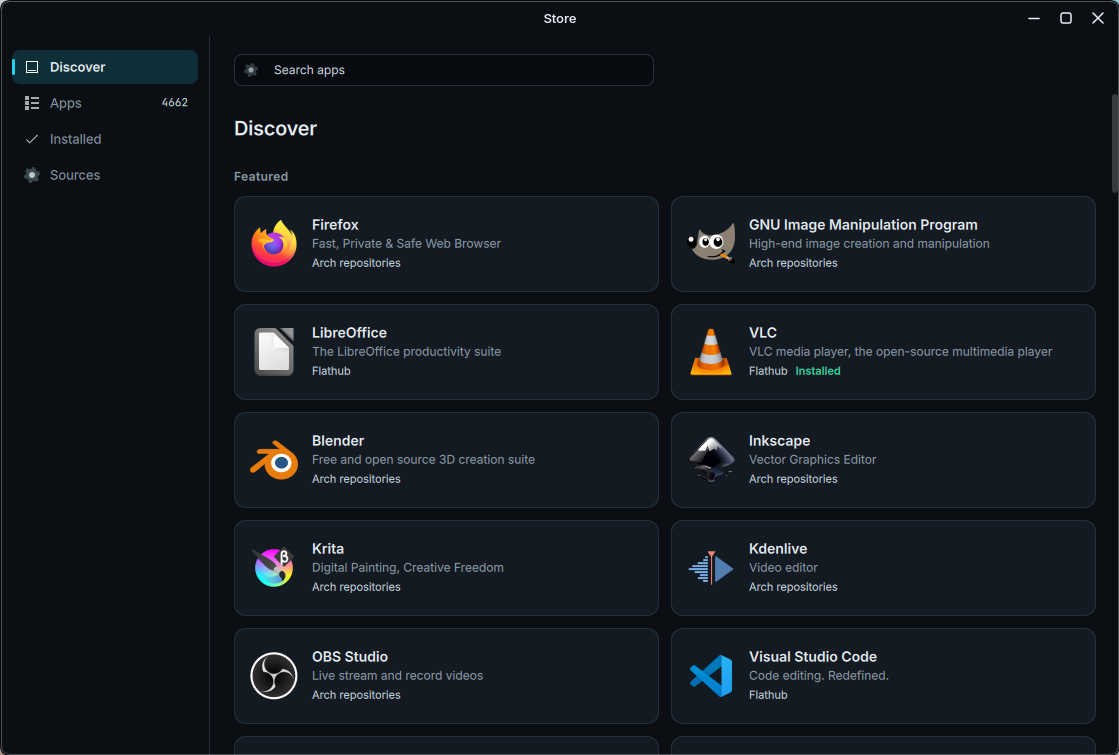
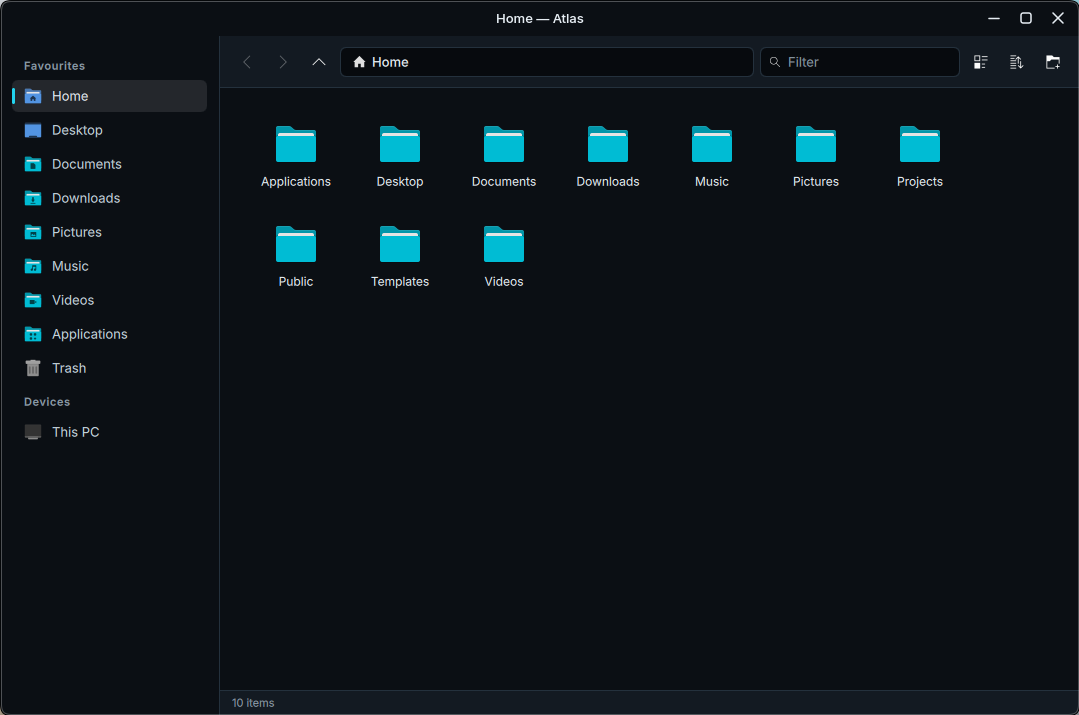
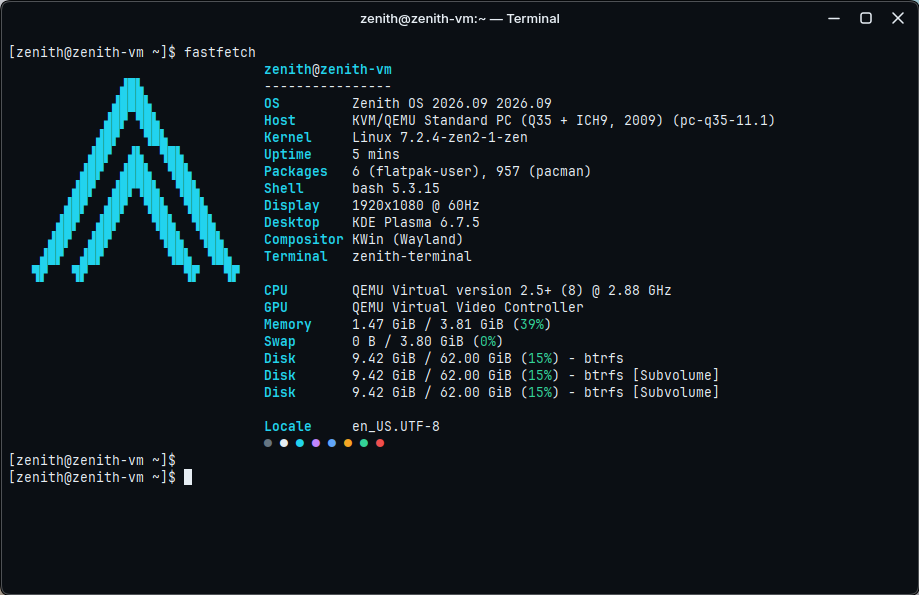
- Home page with your machine and the settings you reach for
- Every change applies live, no Apply button
- Search finds any page

Dock
Pinned apps and running windows in one row. A plate under the active app, a pill under what is running, a live preview on hover, the Trash at the end.
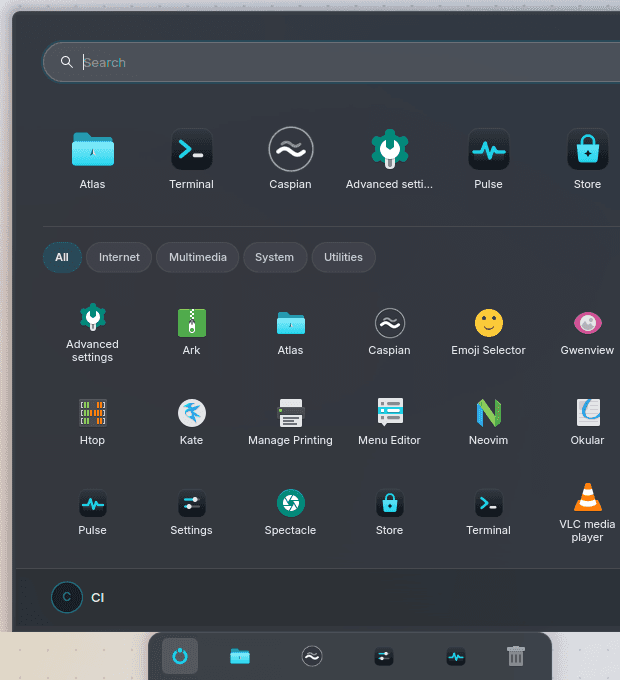
Start
Press the key and type. Pinned apps in a row, every app by category under them, your account and the power button in the footer.
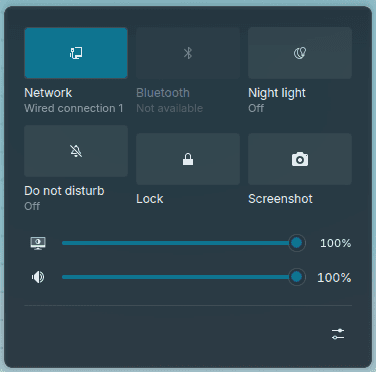
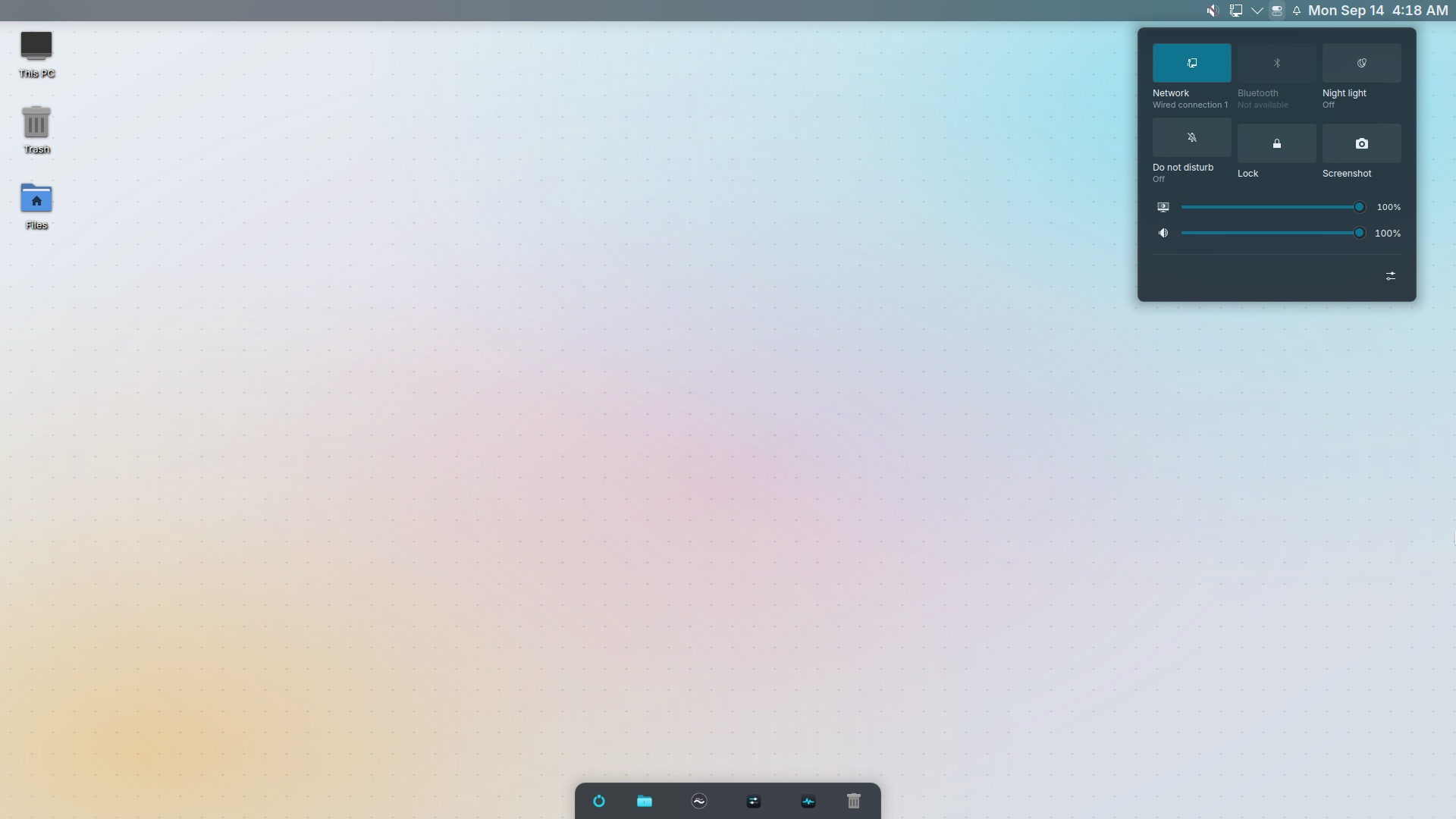
Control Center
Wi-Fi, Bluetooth, Night light, Do not disturb, Lock and Screenshot as buttons; brightness and volume as sliders; the battery and a way into Settings.
Serious foundations.
Base
Arch Linux
rolling release, the full Arch repositories
Kernel
linux-zen
the responsive desktop kernel, with an LTS fallback
Desktop
KDE Plasma 6.7 · Wayland
with Zenith's own shell, dock, Start and Control Center
Filesystem
Btrfs + snapshots
a snapshot before and after every update; roll back from the boot menu
Boot
one signed UKI
kernel, initramfs and command line as a single file on the ESP
Disk
encrypted (LUKS2)
on by default, with a recovery key; TPM unlock where there is one
Apps
Arch + Flathub
native packages and sandboxed Flatpaks in one store
Updates
signed, stable / testing
every package and the ISO carry the Zenith release signature
0
signed boot file
0
accounts, telemetry, sync servers
0+
apps between Arch and Flathub
~10 min
from USB stick to desktop
Update without fear.
Settings › Updates, or one command. Every step is reversible.
- 1
Snapshot
Btrfs snapshots the system first. A bad update is a reboot away from undone.
- 2
Verify
Only packages signed with the Zenith release key are accepted - and the repository index itself.
- 3
Apply
Arch's updates and Zenith's land in one transaction. Never a half-updated system.
- 4
Choose
Stable, or the testing channel to see releases early. Switch in Settings.
$ sudo zenith update
snapshot · pacman -Syu · pacnew check · reboot needed?
$ sudo zenith channel set testing
testingYour computer talks to nobody but you.
No sign-in, no usage reports, no cloud in the middle. The disk is encrypted with a key you keep. Updates come from Zenith's signed repository and nowhere else.
2026.09 · Zenith Installer for Windows, or the ISO